

Why Most Service Website Redesigns Fail to Increase Leads
Every quarter, thousands of service businesses invest heavily in website redesigns that look visually impressive in a boardroom presentation yet produce zero measurable lift in qualified inquiries. Designers frequently prioritize heavy motion graphics, abstract taglines, and multi-layered carousels over buyer clarity and rendering speed.
When a prospective client clicks through from a commercial search query or a paid advertisement, they evaluate three questions within the first four seconds. They want to confirm they landed on the exact service they searched for, verify that the provider has credible proof of competence, and see a low-risk path to initiate a conversation.
As we demonstrated in our 2026 Google Ads vs SEO Customer Acquisition Cost study, doubling your landing page conversion rate cuts your effective cost per lead in half across both paid and organic traffic simultaneously.
2026 Service Landing Page UX and Speed Benchmarks
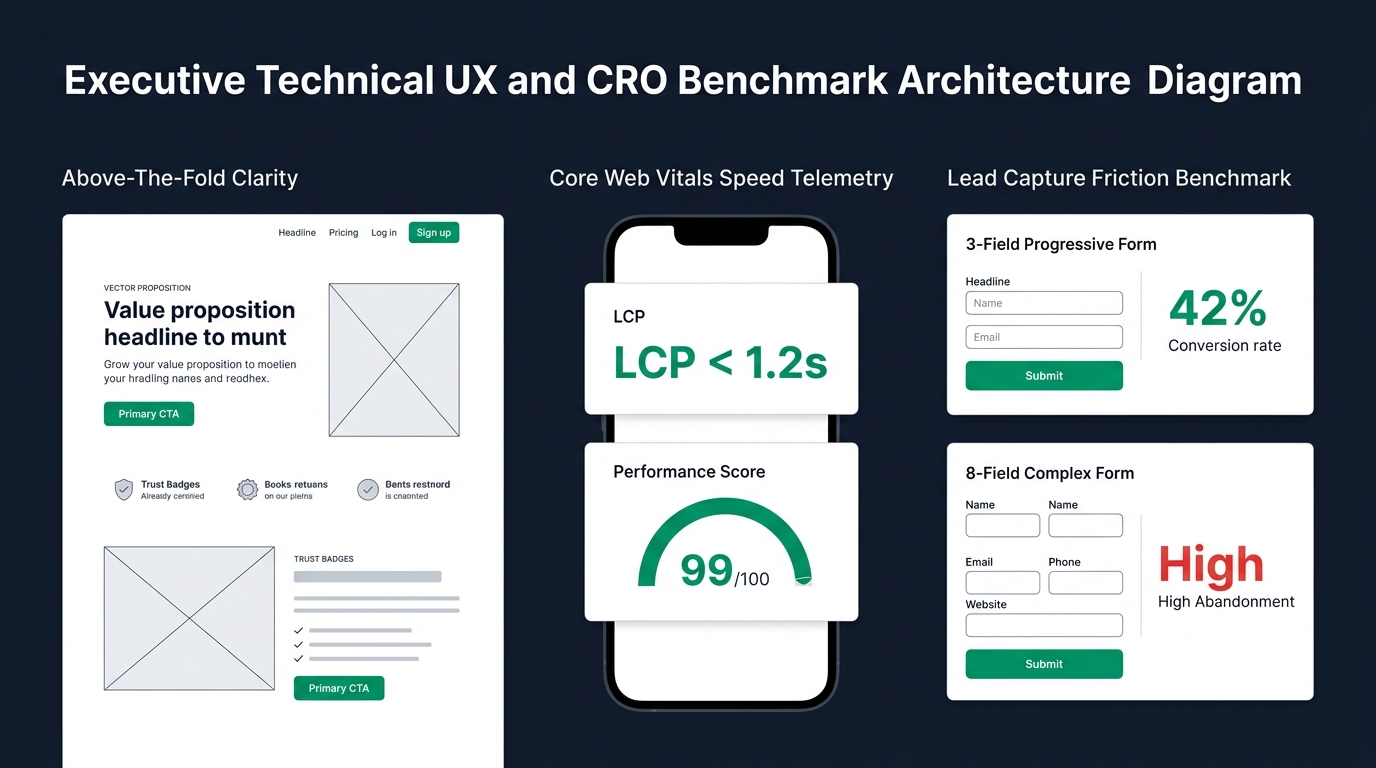
To isolate which design and engineering variables actually move conversion rates, we audited session telemetry across high-intent service landing pages and compiled the side-by-side performance benchmarks below.
| UX & Technical Variable | Bottom-Quartile Pages (1.1%–2.2% CVR) | Top-Decile Pages (6.8%–11.2% CVR) |
|---|---|---|
| Mobile Largest Contentful Paint (LCP) | 3.4 to 5.8 seconds (heavy unoptimized sliders & scripts) | 0.8 to 1.4 seconds (clean Flexbox/Grid DOM & WebP assets) |
| Above-the-Fold Headline Structure | Vague corporate slogan ("Empowering Digital Futures") | Exact service + specific business outcome in plain language |
| Lead Capture Form Fields | 7 to 10 mandatory fields on initial view | 3 to 4 essential fields or 2-step progressive disclosure |
| Navigation Distraction Density | Full mega-menu with 15+ external and blog exit links | Focused header with single primary conversion button |
| Trust & Proof Placement | Buried at the bottom footer above copyright text | Visible immediately below the hero CTA (metrics, logos, reviews) |
Interactive Landing Page Speed and Form Friction Calculator
Use the interactive conversion simulator below to estimate how improving mobile load speed (Largest Contentful Paint) and reducing mandatory form fields impacts your monthly qualified leads and effective cost per acquisition.
Calculate Your Conversion Lift from UX & Speed Optimization
Adjust your current monthly visitors, baseline conversion rate, page load time, and form field count.
Zone 1 Above-the-Fold Value Proposition Hierarchy
Eye-tracking research from the Nielsen Norman Group consistently shows that users spend more than 55% of their page-viewing time above the initial fold before deciding whether to scroll or bounce. If your hero section forces the visitor to guess what you actually deliver, they return to the search results immediately.
A high-converting service hero section requires three synchronized elements working together without visual clutter.
- Direct Problem-to-Solution Headline states the exact service category and the measurable business outcome without jargon or punctuation gimmicks.
- Two-Sentence Buyer Qualification Subheadline clarifies who the service is built for and how the delivery model removes common industry headaches.
- High-Contrast Action Button with Micro-Proof pairs a clear call to action (such as scheduling a strategy session) with a concise trust indicator directly beneath the button.
Zone 2 Core Web Vitals and Mobile DOM Engineering
Page speed is not merely a technical SEO ranking factor; it is a direct behavioral filter. Performance benchmarks documented on Google web.dev show that as mobile page load time slows from 1 second to 4 seconds, the probability of an immediate bounce increases by over 90%.
Whether you build landing pages on WordPress with modern Flexbox containers, Shopify, or static edge architectures, three technical disciplines keep rendering under 1.2 seconds.
- Eliminate DOM Container Nesting by replacing bloated legacy section-column-inner-column wrappers with flat CSS Grid and Flexbox layouts under 800 total DOM nodes.
- Preload the Hero Visual Asset in compressed WebP or AVIF format with explicit width and height attributes so the browser experiences zero Cumulative Layout Shift (CLS).
- Defer Non-Critical Third-Party Scripts such as chat widgets, heatmaps, and retargeting pixels until after the user scrolls or interacts with the page.
Zone 3 Form Friction Reduction and Call-to-Action Psychology
Usability studies conducted by the Baymard Institute prove that total form field count is one of the strongest predictors of abandonment. Asking a prospect for their phone number, street address, company revenue, budget tier, and project timeline on the very first screen triggers psychological resistance.
High-performing service pages replace intimidating 9-field questionnaires with a frictionless three-to-four field intake (Name, Work Email, Website URL, and Primary Goal), or split the process into a two-step progressive form where the user selects their primary challenge with a single click before entering contact details.